Get adblocking back for archivum.info

If you have adblock enabled and you try to visit any url of www.archivum.info you will get a really nasty alert saying:

You Are Using Adblock Plus or some other advert blocking software! Archivum.info relies on advertising for revenue. Please add www.archivum.info to your ad blocking whitelist or disable ad blocking when you visit www.archivum.info.

When I first saw this I laughed…and then I tried to find a way to bypass it.
I used curl to see the sites html code:

$ curl -v www.archivum.info
curl -v www.archivum.info 
* About to connect() to www.archivum.info port 80 (#0)
*   Trying 69.147.224.162... connected
* Connected to www.archivum.info (69.147.224.162) port 80 (#0)
> GET / HTTP/1.1
> User-Agent: curl/7.19.5 (i486-pc-linux-gnu) libcurl/7.19.5 OpenSSL/0.9.8k zlib/1.2.3.3 libidn/1.15 libssh2/1.2
> Host: www.archivum.info
> Accept: */*
> 
< HTTP/1.1 200 OK
< Date: Tue, 17 Nov 2009 11:24:22 GMT
< Server: Apache
< Last-Modified: Mon, 16 Nov 2009 08:41:17 GMT
< Accept-Ranges: bytes
< Content-Length: 9392
< Vary: Accept-Encoding
< Content-Type: text/html
< 
<html>
<head>
<title>archivum.info - The Internet archive.</title>
<meta http-equiv="Content-Type" content="text/html; charset=iso-8859-1">
<script type="text/javascript">var disabled = false;</script><script type="text/javascript" src="http://www.archivum.info/js/adblocker_probe.js?
site=http://googlead.foobar.tld/"></script><script type="text/javascript">if (disabled == false) { location.replace("http://www.archivum.info/denied");
alert("You Are Using Adblock Plus or some other advert blocking software! Archivum.info relies on advertising
for revenue. Please add www.archivum.info to your ad blocking whitelist or disable ad blocking when you visit
www.archivum.info.");}</script></head>

[snip]

Here’s how this site blocks Adblockplus: there’s a variable called disabled set to “false” then if a js (http://www.archivum.info/js/adblocker_probe.js) runs it sets disabled to “true” . The hint is that adblockplus blocks urls starting with “googlead.” so it won’t visit “http://www.archivum.info/js/adblocker_probe.js?site=http://googlead.foobar.tld/” and the variable will remain “false“. Then the alert pops up.

The solution is very simple, just add an exception to your local AdblockPlus rules, AdblockPlus Preferences -> Add Filter:
@@|http://www.archivum.info/js/adblocker_probe.js?site=http://googlead.foobar.tld/

So firefox, visits the js url, disabled becomes “true” you are allowed to continue browsing the site and AdblockPlus continues blocking all blockable items.

Uzbl to you too!

I’ve been trying uzbl for the last few days and I am pretty much impressed on how useful such a small application can be in certain usage cases!

I installed it on my Debian testing using the following blog post: Installing uzbl on Debian Squeeze .
Be sure to make install else you’ll have no config and uzbl will be unusable!!!

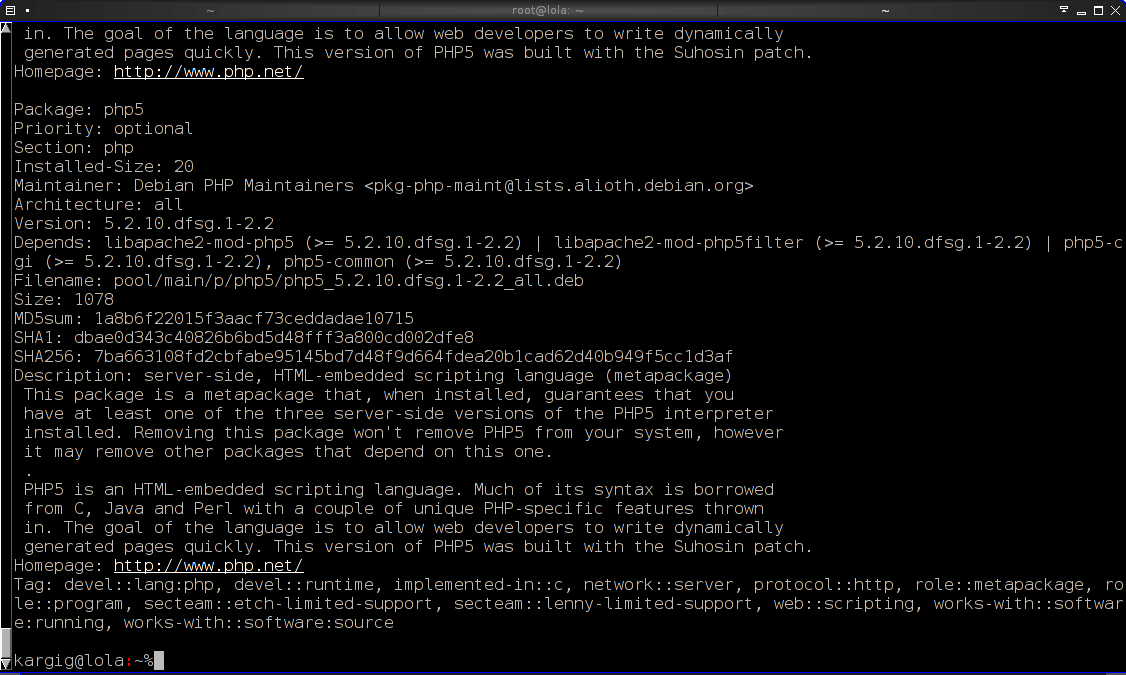
The first place I used it was for the urlLauncher plugin of urxvt. On my .Xdefaults I have the following piece of code:
urxvt.perl-ext-common: default,matcher,-option-popup,-selection-popup,-realine
urxvt.matcher.button: 1
urxvt.urlLauncher: /usr/local/bin/urxvt-url.sh

and my /usr/local/bin/urxvt-url.sh contains:
#!/bin/sh
uzbl "$1"

Now every url on the console get’s highlighted and I can open it with uzbl. And that means opening really fast!

Example:
urxvt terminal (tabbed by fluxbox) with some urls highlighted by the perl matcher plugin of urxvt:
urxvt-url-highlight

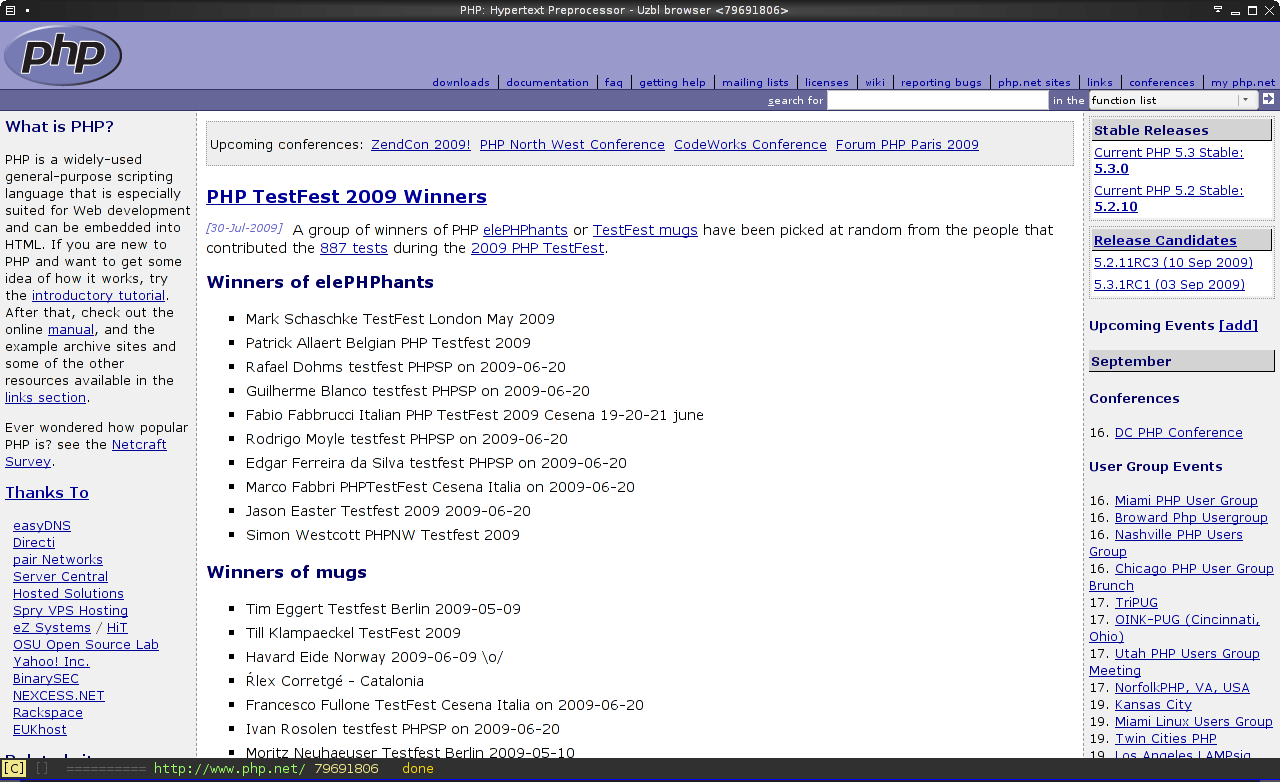
left clicking on one of the urls opens it with uzbl:
uzbl-window

Apart from that, I’ve started using uzbl to open links on instant messengers, IRC clients and in every other place that people send me simple links to check out or I need a fast browser instance. Some people might say that it looks like links2 graphical mode, but it’s NOT like opening urls with “links -G” because uzbl is based on webkit and that means it can deal with javascript, java, flash, whatever…

I just love the way you can keybind all the actions you want on it…on the example config that comes with it, you quit the browser by typing ZZ…how great is that ? :D

Some usage tips
1) Tabbed behavior (if you have fluxbox):
In ~/.config/uzbl/config add
bind t _ = spawn uzbl --uri %s
and in ~/.fluxbox/apps add the [group] tag before the [app] tag for uzbl like that:

[group]
 [app] (name=uzbl) (class=Uzbl)
  [Workspace]   {0} 
  [Head]    {0} 
  [Dimensions]  {800 1284}
  [Position]    (UPPERLEFT) {0 0}
  [Maximized]   {yes}
  [Jump]    {yes}
  [Close]   {yes}
[end]

Now the command t www.google.com inside uzbl, will open a new tabbed window of uzbl with www.google.com loaded in it.

2) Close uzbl window with ctrl+w
In ~/.config/uzbl/config add:

bind     ctrl+v ctrl+w    = exit

(press ctrl+v ctrl+w one after the other and you will get something like ^W in the file)

P.S. If you are a person that just came from the point and click windows world to the beautiful world of linux, or you are a person that loves bloated desktop managers like KDE/gnome/etc or bloated applications like firefox/iceweasel/konqueror don’t even think of installing it. You’ll never understand its value…
P.S.2. If Richard Stallman decided to browse the web and had an internet connection uzbl would probably be his browser of choice :P

Fixing image distortion on websites using Firefox/Iceweasel 3.5 on Debian testing with intel xorg driver

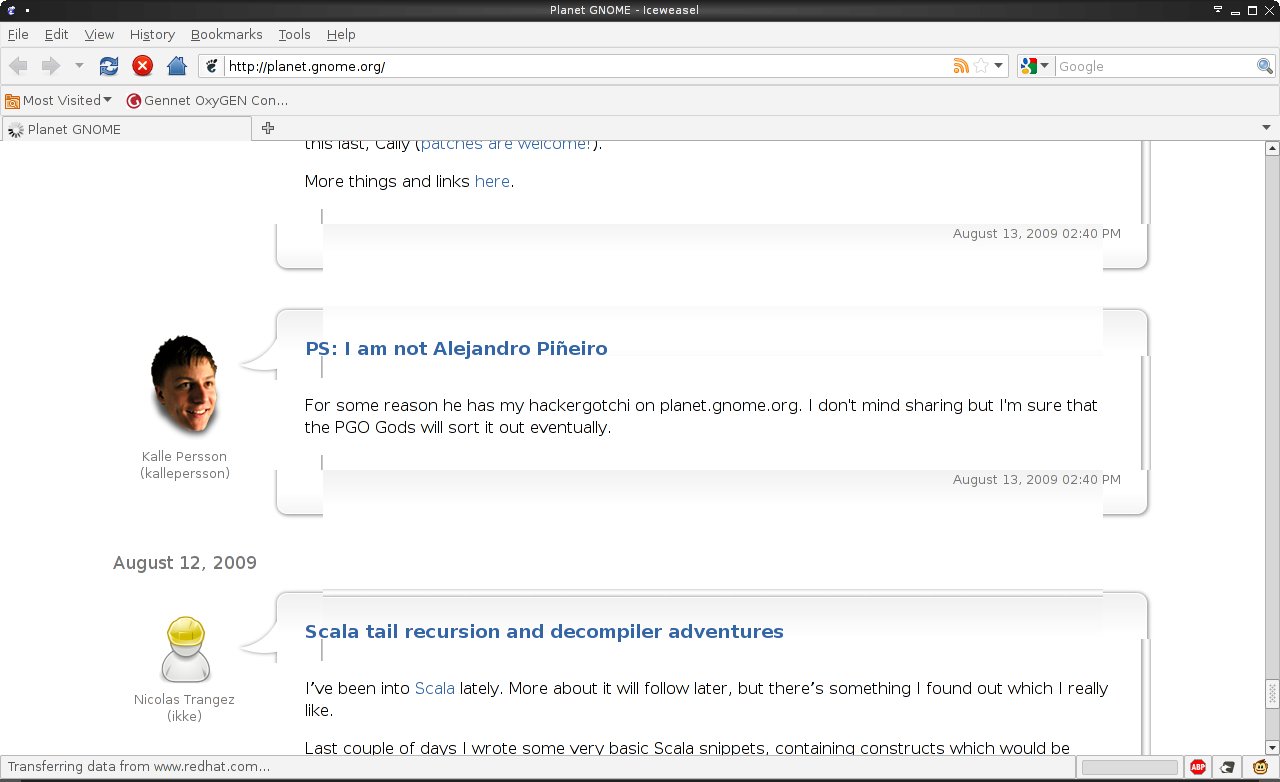
Lately I noticed some image distortion appearing on some websites using my laptop with Debian squeeze. Menus on swiftfox did not appear as they should, some logos appeared out of their place and there were artifacts and other annoying things. For example Planet Gnome looked like this:
image-distortion
When using iceweasel 3.0.12 everything looked fine. Then I followed a guide to install Iceweasel 3.5 from experimental to my system. Images looked distorted again. So there must have been a problem with the latest xulrunner….

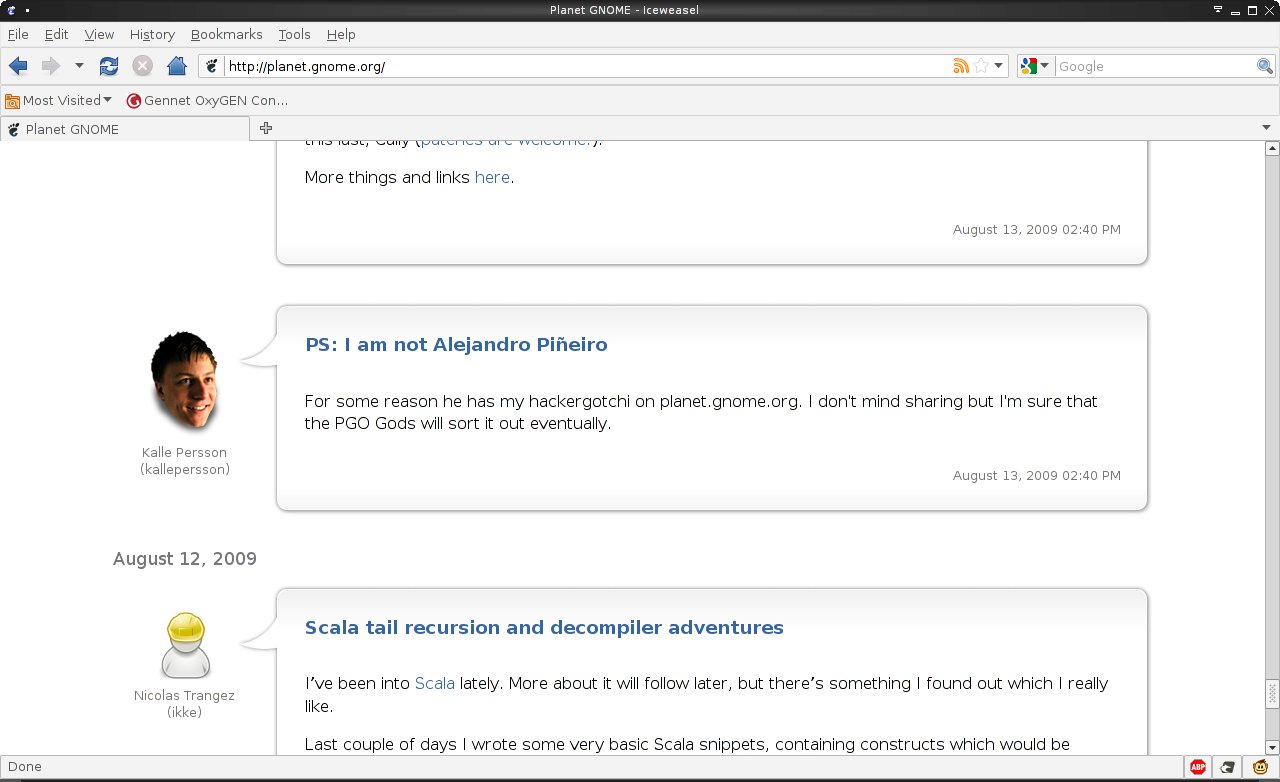
After some googling I bumped into Debian bug #491871 – [965GM EXA] display corruption with xulrunner 1.9. Following post #67 on that thread I was able to repair my xorg.conf to something that fixed the image distortion. Now Planet Gnome looks like this:
no-image-distortion

Some info:

# apt-cache policy iceweasel xserver-xorg-video-intel xulrunner-1.9.1
iceweasel:
Installed: 3.5.1-1
Candidate: 3.5.1-1
Version table:
*** 3.5.1-1 0
1 http://ftp.debian.org experimental/main Packages
100 /var/lib/dpkg/status
3.0.12-1 0
500 http://ftp.de.debian.org squeeze/main Packages
99 http://ftp.de.debian.org sid/main Packages
xserver-xorg-video-intel:
Installed: 2:2.3.2-2+lenny6
Candidate: 2:2.3.2-2+lenny6
Version table:
2:2.8.0-2 0
99 http://ftp.de.debian.org sid/main Packages
*** 2:2.3.2-2+lenny6 0
500 http://ftp.de.debian.org squeeze/main Packages
100 /var/lib/dpkg/status
xulrunner-1.9.1:
Installed: 1.9.1.1-2
Candidate: 1.9.1.1-2
Version table:
*** 1.9.1.1-2 0
1 http://ftp.debian.org experimental/main Packages
100 /var/lib/dpkg/status

Using Firefox Password Exporter

I am using the Password Exporter addon for Firefox to sync my passwords between my various Firefox installations (2 OS on the laptop, 2 OS on the desktop and one for portable firefox on a usb stick). I am using it with version 3.0.X and 3.5 just fine.

I have created a shell script that finds the differences between two exported password files and creates a new xml with the differences of the two so that one can edit it and pick the ones he wants imported.
File: ff-password-sync.sh
To use it follow these two steps on each firefox installation:
Firefox->Tools->Add-ons->Password Exporter->Preferences->Export Passwords
Then use the script (you need bash and mktemp):
$ ./ff-password-sync.sh laptop-password-export-2009-07-01 dektop-password-export-2009-07-02
If it runs successfully you should have 2 files in your home dir:
ff-password-sync.diff: Contains the differences of the two files in diff format
ff-password-sync.xml: Contains the unique username password combinations that are missing
Edit ff-password-sync.xml to possibly remove entries you don’t want imported and then go to:
Firefox->Tools->Add-ons->Password Exporter->Preferences->Import Passwords
and load ff-password-sync.xml

If you engage in this process it’s almost certain that you will hit this bug:
“Can’t add a login with both a httpRealm and formSubmitURL.’ when calling method: [nsILoginManager::addLogin]“

The fix is provided by a user on his blog: Fix for Firefox’s Password Exporter Add-on

Filter out advertisments from greek sites using adblock plus

I’ve decided to start a filter for adblock plus to filter out advertisements from Greek sites.

You can find more information on subscribing to the filter on the page: Greek adblock plus filter.

I started the list a long time ago with some personal filter for sites I visit the most. In order to enrich the list I searched and found a list with the supposedly “top 50″ greek sites (regarding traffic), so I visited them and started adding filters to reduce the ads on them.

I warn you though, the filters are a bit strict…and I don’t like flash ads…I really don’t. I hope you like the list.

Please contact me, by email or by commenting on Greek adblock plus filter page to add your own custom filters to the list.

Firefox 3.0.11 to 3.5b99 migration glitch on certificate authority root files

I’ve recently migrated on my debian from iceweasel (firefox) 3.0.X to swiftfox (firefox) 3.5b99 and I noticed that I could not import any new certificate authority root files. When I used a new profile everything worked as expected, so it was something that had to do with the migration of my old version 3.0.X profile to the new, version 3.5. It looks like there has been a modification in the way firefox 3.0.X and firefox 3.5 handles cert8.db file inside the profile directory. As soon as I deleted the file and restarted firefox I could import new certificate authority root files just fine. Of course I lost the old ones I had imported in the past…

Switching from Iceweasel to Swiftfox on debian

I’ve bumped into an Iceweasel + adblock plus bug: iceweasel: AdBlock Plus (1.0.2) custom element hiding filters does not work
It looks like Iceweasel from the stable branch of debian (version 3.0.6-1) has a problem hiding elements from websites. That makes some parts of adblock plus useless and ads start appearing on various websites.
What’s weird is that the problem only appears on Iceweasel and not on official Firefox (as the bug report says).

My options were to either a) switch to a testing/unstable version of Iceweasel from debian, b) get a binary package from firefox website or c) get another custom version. I chose method c) and I got swiftfox. Since Swiftfox provides a nice debian repo it was really easy to install and test. The whole experiment got even more interesting since swiftfox provides builds for firefox version 3.5…

After a update-alternatives --config x-www-browser I was ready to test it.
Swiftfox 3.5b4 works great with adblock plus and it even feels a bit faster. I can’t really tell for sure though. The only addon I had to reinstall was firegpg.

My impressions are great so far and I think I will keep it, at least until the bug mentioned gets resolved somehow on the stable branch.

lifesaving ROX tip, open file:// urls

Firefox has the feature of keeping links to downloaded files as urls using the file:// pattern. For example: file:///home/user/downloads/test.zip. If you choose ROX-Filer (/usr/bin/rox) to open these files you will get an error:

File doesn’t exist, or I can’t access it: file:///home/user/downloads/test.zip

One way to correct the error is to follow the instructions of http://lovingthepenguin.blogspot.com/2008/08/use-rox-filer-to-open-containing.html

Another way for Gentoo users, and much proper I guess, is to use /usr/bin/roxuri. roxuri is actually a shell script that uses the “-U” option for ROX:

-U, –url=URL open file or directory in URI form

For the non-Gentoo users, /usr/bin/roxuri is:
#!/bin/sh
exec "/usr/lib/rox/ROX-Filer/AppRun" -U "$@"

Create it and make it executable.

Go to Firefox Preferences/Applications/Content Type -> file and select /usr/bin/roxuri as the default application.

Now files from firefox downloads are handled correctly by rox which uses the proper applications to open them and containing folders open up with ROX-Filer. That means that while “file” is handled by roxuri, a .pdf will be opened by epdfview or whatever else you have chosen ROX to open pdf files with.

Both solutions work on ROX version 2.8.